Everything You Need to Know about Security Camera Installation
Learn how to install a security camera to protect your home.
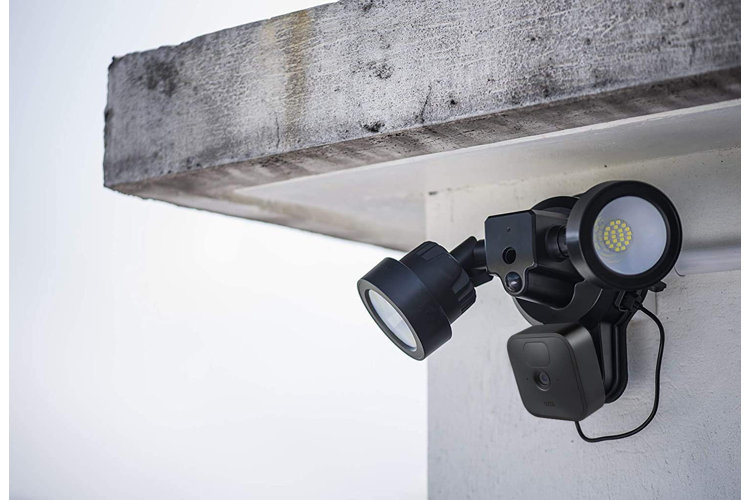
Home sweet home, right? Whether you're in an apartment by yourself or in a full house, you want to do everything you can to help make your home feel safe and secure. Adding extra home protection like external lights or security cameras are a great way to help you sleep soundly. Read our guide to learn everything you need to know about security camera installation.
Plan Your Installation
Consider the design of your home. Do you want your system to monitor the interior or exterior, or both? Walk around the space you want to keep watch of and identify areas that are higher than 10 ft. and are clear of any obstructions. Be sure to consider outside elements like wind or rain and choose an installation point that keeps the system protected.
Tip!
If you're not comfortable wiring the system yourself, Wayfair offers Expert Installation. Just choose the addition at check out.
Choose Your Security System
There are several factors to consider when arming your home with a security system. If you're relying on your system as another set of eyes when you're not around, opt for a system with high resolution video features. Another way to feel more connected is a system with remote control compatibility or one that is smart-enabled. Control the system from an app on your phone or included remote to manage factors like motion sensors, flood lights, or alarm sounds.
Most security systems come with installation hardware and mounting instructions that work best for each camera. This installation can range in experience level and include tools like screws, lag bolts, a drill, or electrical tape. Choose a solid, flat surface – like a wall or ceiling – to securely install your camera system. Ensure that you position your camera so that it covers the entire area that you want monitored. Check the Specifications tab on the product description for the Detection Zone range.
Step 1: Find a stable spot to mount on the wall. Some cameras may require finding a stud, while others will come with drywall anchors.
Step 2: Check for existing wiring and electrical and thread the wiring back through to attach it to the appropriate power source.
Step 3: Mark and drill the corresponding holes for the camera's mount.
Connect Your System
Read the camera security system's instructions to determine if it needs any additional wiring first, like batteries or cables running to the video monitor. Be sure to connect all of the components to a power source and that all cables are securely connected. If your system is exclusively wireless, follow the provided instructions for how to connect the cameras onto your home's Wi-Fi network and stream to either your phone or additional viewing screen.
Learning how to install a security camera is a great step to protecting your home and family. Whether you just want another set of eyes on the kids as they play in the backyard, or want to flip on some lights while away on vacation, security camera installation can make a huge difference for your peace of mind.
