What Is a Smart Lock? Locking Mechanisms, Safety Features & More
Secure your home.
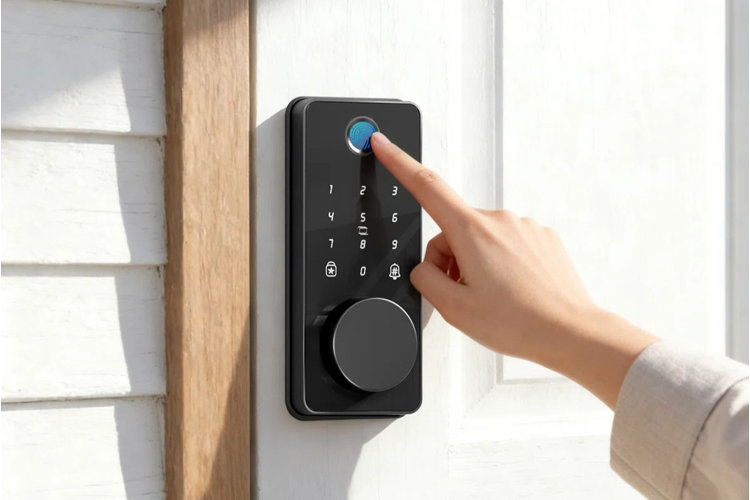
A smart lock is a modern home security device that allows you to unlock your front door using a smartphone, keypad, voice assistant, or other method of keyless entry. In this guide we’ll explore what a smart lock is, how it differs from electronic locks, and how to choose one that is compatible with your home.
Electronic vs. Smart Door Locks
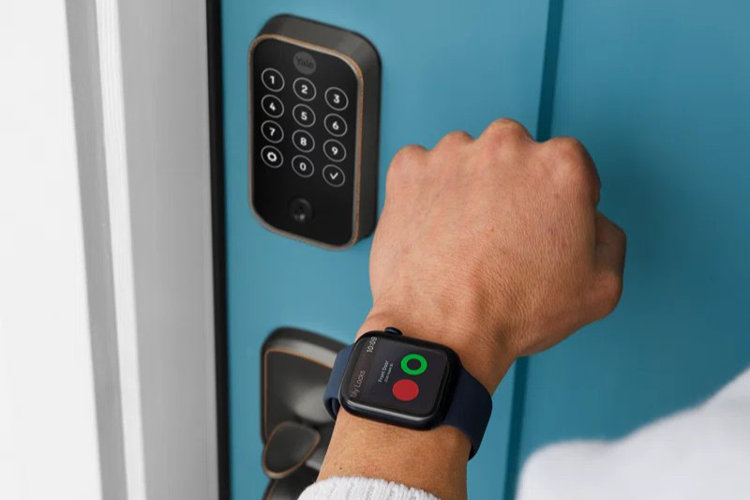
Electronic and smart locks are similar in that they provide technologically enhanced home security, but the main difference is in the connectivity features they offer. Electronic locks offer localized, keyless entry without requiring access to the internet – making them a simple and affordable option. Smart locks, on the other hand, offer Wi-Fi or Bluetooth connectivity for more advanced home integration and remote control. Smart locks are typically more expensive than electronic locks and require app management from your smartphone, reliable internet connection, and more complex installation.
Choose an electronic lock if:
- You want localized and convenient keyless entry.
- You need reliable access to high-traffic areas (no internet required).
- You prefer a simple lock setup.
- You have a tight budget.
Choose a smart lock if:
- You want remote access management and entry surveillance.
- You need to grant temporary access (great for rentals).
- You prefer smart-home integration.
- You can afford a more expensive setup.
Smart locks come with a wide variety of entry modes, safety features, and compatibility considerations. Read about the types of smart locks below to find one that suits your needs:
1. Choose a Mode of Entry
Smart locks come in a variety of entry modes to suit your personal preference.
- Keypad: Keypad-controlled door locks work by typing a preprogrammed code into physical buttons for a convenient, localized entry mode.
- Touchscreen: Touchscreen locks function similarly to keypad locks but with flat, digital screens for a more modern look and feel.
- Biometric/Fingerprint: Fingerprint-controlled locks scan your fingerprint and match it to stored biometric information to only grant access to certain people.
- Remote Control/Fob: Remote controlled locks use paired fobs to send a short-range wireless signal to lock and unlock your door.
- Smartphone-Activated: Smartphone-activated locks connect to a mobile app using Bluetooth, Wi-Fi, or cellular networks to control your door digitally.
Tip!
Smart locks often include a physical key to manually lock or unlock the device as a backup if the batteries die or connectivity goes down.
2. Consider Smart Home Compatibility
Your smart lock requires a system that enables connectivity and remote access. Opt for one that’s compatible with your existing smart home devices for streamlined control.
- Wi-Fi: Wi-Fi locks connect directly to your home network so you can control and monitor your lock from anywhere. While they are easy to set up, they tend to use more battery power.
- Bluetooth: Bluetooth locks automatically connect to your phone when you're nearby, which limits remote access but is more energy-efficient.
- Z-Wave: Z-wave locks connect through a smart home hub which offers reliable security but requires a compatible smart home system.
- Matter: Matter locks are a newer, universal system designed to work with different smart home brands and platforms for improved interoperability.
3. Factor In Additional Features
Smart locks are equipped with helpful features that can improve your home’s functionality.
- Remote Access: Remote access is a popular feature of smart door locks. It allows you to lock and unlock your doors from anywhere over the internet.
- Temporary Access: Locks with temporary access capabilities allow you to set time-limited or one time codes for guests, service providers, or temporary tenants.
- Usage Monitoring: Smart locks are often equipped with usage monitoring to track who enters and exits and when with an activity log.
4. Measure Your Door Thickness
You’ll need to choose a smart lock that is compatible with your front door to ensure a seamless installation. Smart locks come in a range of sizes that can fit doors less than 1.25" thick to more than 2" thick. Keep in mind that standard exterior doors are usually 1.75" thick, but you should measure yours to confirm before purchasing a lock.
Tip!
Now that you understand the basics of electronic and smart locks, prepare for a seamless installation with our illustrated step-by-step guide
Keyless Entry Installation for Beginners.
