Livraison gratuite
Recevez-le entre le 26 juin-30 juin
à
M4C 1B5

Accumulez {RICH_TEXT_POTENTIAL_REWARDS} en récompenses, avec une remise de 5 %¹, en plus d’autres avantages exclusifs.

À propos de ce produit
Caractéristiques
Dimensions du produit
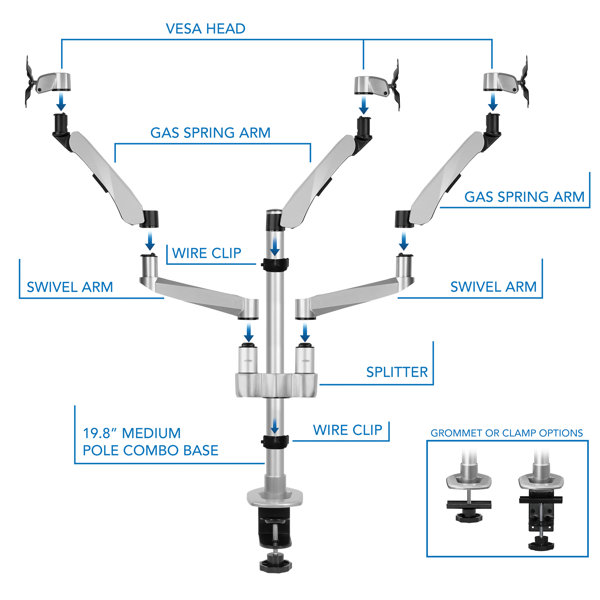
Autres dimensions
Détails
Certifications
Assemblage
Garantie
Documents
Pas convaincu? Les retours sont offerts pour la plupart des articles dans les 30 jours suivant la livraison pour un remboursement ou un bon d'achat.
Apprenez-en plusNoté 4.6 sur 5 étoiles.
Avis 1-5 de 7
Noté 3 sur 5 étoiles.
Instructions are AWFUL.Instructions not only don't mention how to adjust the ball-mount, but they don't mention that you can adjust the spring tension with the large M6 wrench. Had to learn that from another customer review.Only a few pictures and text that is barely understandable English.Other than the instructions, the product seems fine.
Noté 5 sur 5 étoiles.
liked it so much I am gonna order another. excellent design and gorgeously made. why arent all others made like this one, its simply the best mount. and because your wondering why and i liked it so much ill tell you. the arms move easily and stay in place no matter where you put them, no micro moving necessary. and it just looks great, sleek and stylish and so lite. truly amazing product.
Noté 5 sur 5 étoiles.
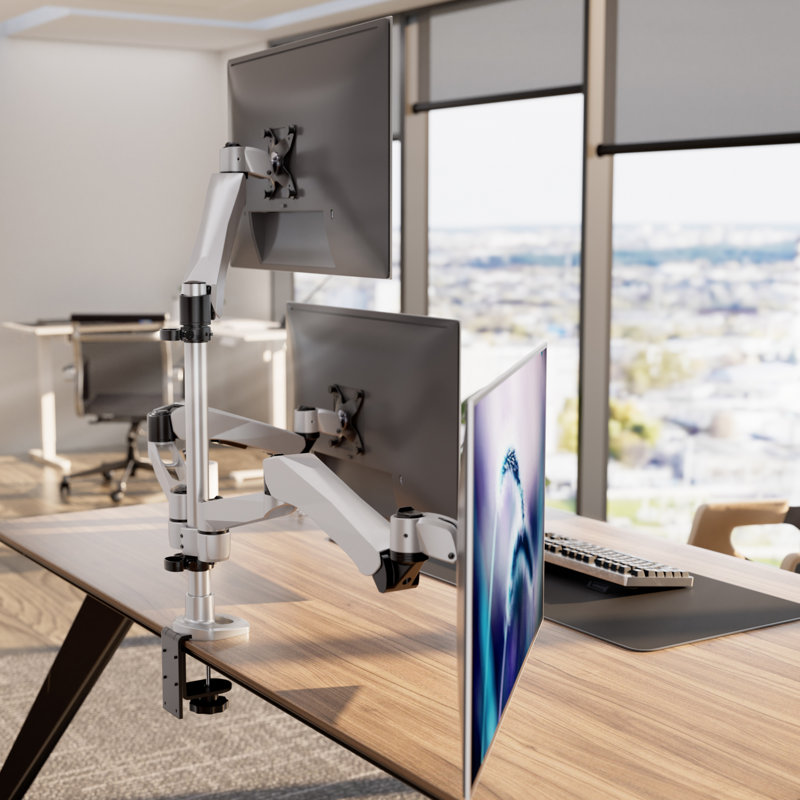
I have 2X 27" on the Top and a 21" touch screen on bottom and I'm in heaven. I love this setup for my office.
Noté 5 sur 5 étoiles.
These monitor arms are much better quality than I expected them to be. I'm using them to hold two 24inch monitors up above a row of 3 27inch monitors that are 17 inches tall from the base to the top of the monitor. I would definitely recommend these to anyone who needs monitor arms.
Noté 5 sur 5 étoiles.
I used with only two monitors 24" side-by-side and I used the "duel splitter" on top so I could get a greater height (required when standing).Pros:- Simple to install- Excellent value- Really secure and solid- Flexible configuration- Comes with all the tools needed to install and adjust- Monitor positions are very flexible (e.g. distance from viewer, height, angle)- Tension adjustments to handle different weight monitors.For my configuration of putting two monitors on the top:- Lots of extra height above desktop for standing desks.Cons (minor):- Cannot easily rotate monitors 90 degrees, but you can adjust by smaller rotations.- Tricky to get monitor mounds to bend to 90 degrees during install. (Hint: use the base bar to bend them.) (Understandable since they need to hold the weight of the monitory.)
Noté 4.4 sur 5 étoiles.23 votes au total
Noté 5 sur 5 étoiles.1 vote au total
Noté 5 sur 5 étoiles.1 vote au total